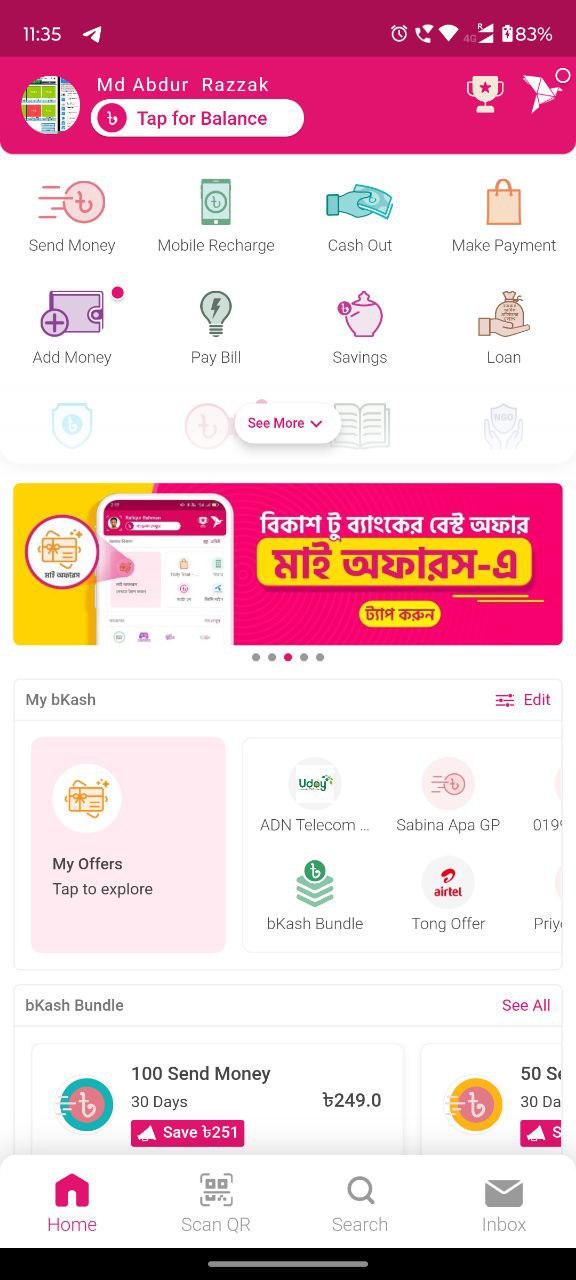
bKash Send Money
- Open your bKash app on your phone.
- Select “Send Money”.
- Enter recipient’s “bKash Personal Number” and Continue
- Enter “Amount” and Continue
- Enter “Ref ( Referance Number)” and Continue
- Confirm details and enter PIN.
- Receive confirmation SMS of success.
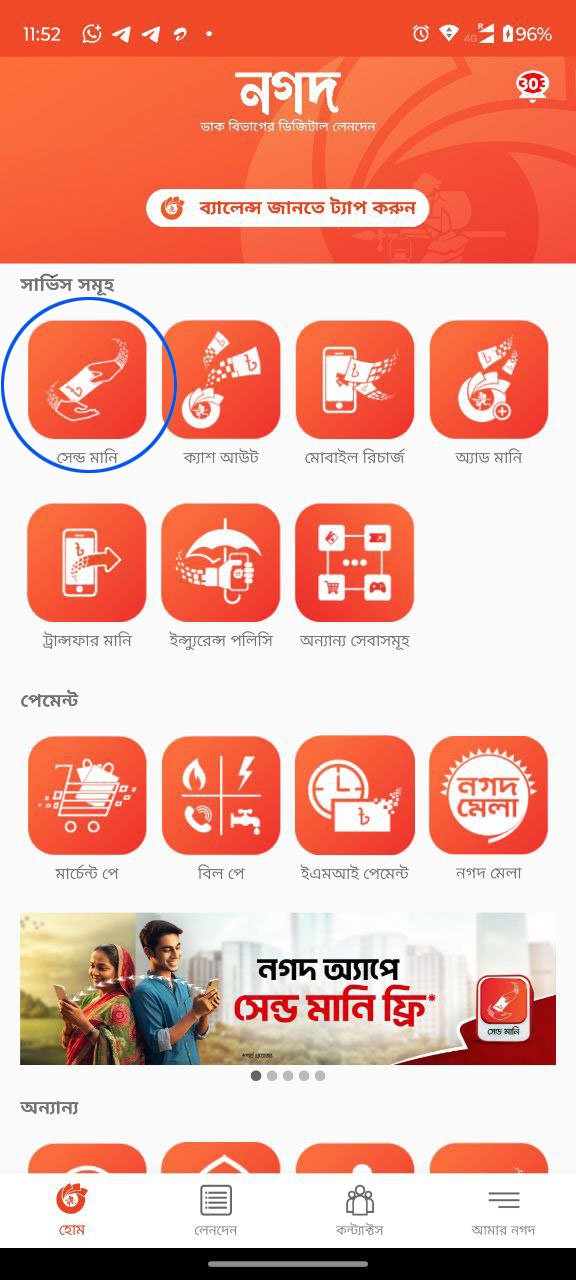
Nagad Send Money
- Open your Nagad app on your phone.
- Select “Send Money”.
- Enter recipient’s “Nagad Personal Number” and Continue
- Enter “Amount” and Continue
- Enter “Ref ( Referance Number)” and Continue
- Confirm details and enter PIN.
- Receive confirmation SMS of success.
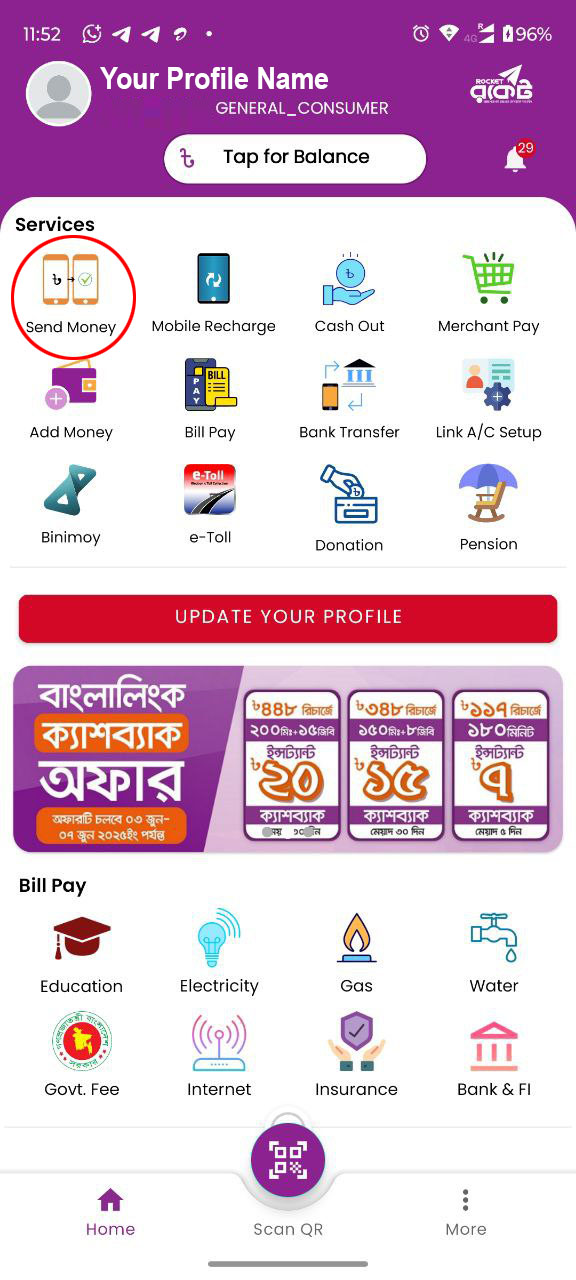
Rocket Send Money
- Open your Rocket app on your phone.
- Select “Send Money”.
- Enter recipient’s “Rocket Personal Number” and Continue
- Enter “Amount” and Continue
- Enter “Ref ( Referance Number)” and Continue
- Confirm details and enter PIN.
- Receive confirmation SMS of success.
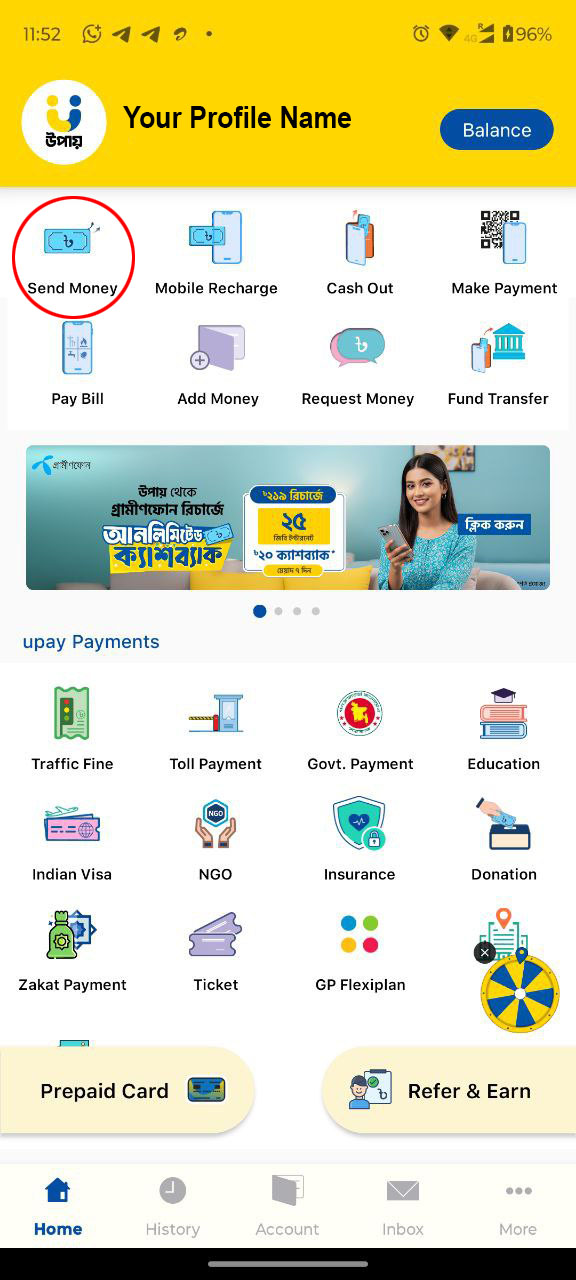
uPay Send Money
- Open your uPay app on your phone.
- Select “Send Money”.
- Enter recipient’s “uPay Personal Number” and Continue
- Enter “Amount” and Continue
- Enter “Ref ( Referance Number)” and Continue
- Confirm details and enter PIN.
- Receive confirmation SMS of success.